XT Licorice is Xteink's new stock firmware. It replaces the old XT 7.x system with a redesigned interface, TTF fonts, OPDS catalogs, KOReader sync and a home screen called Desk. New builds arrive every few days and are named by date: 261020 is 20 October 2026. Here is what it runs on, how to get it, what changes, and how wallpapers work on it.
Which Xteink readers get Licorice
| Reader | Licorice |
|---|---|
| X4 Pro | Yes, over Wi-Fi (global version first; the China version follows later) |
| X4 Classic | Yes, since 13 October 2026, over Wi-Fi |
| Original X4 | No |
| X3 | No |
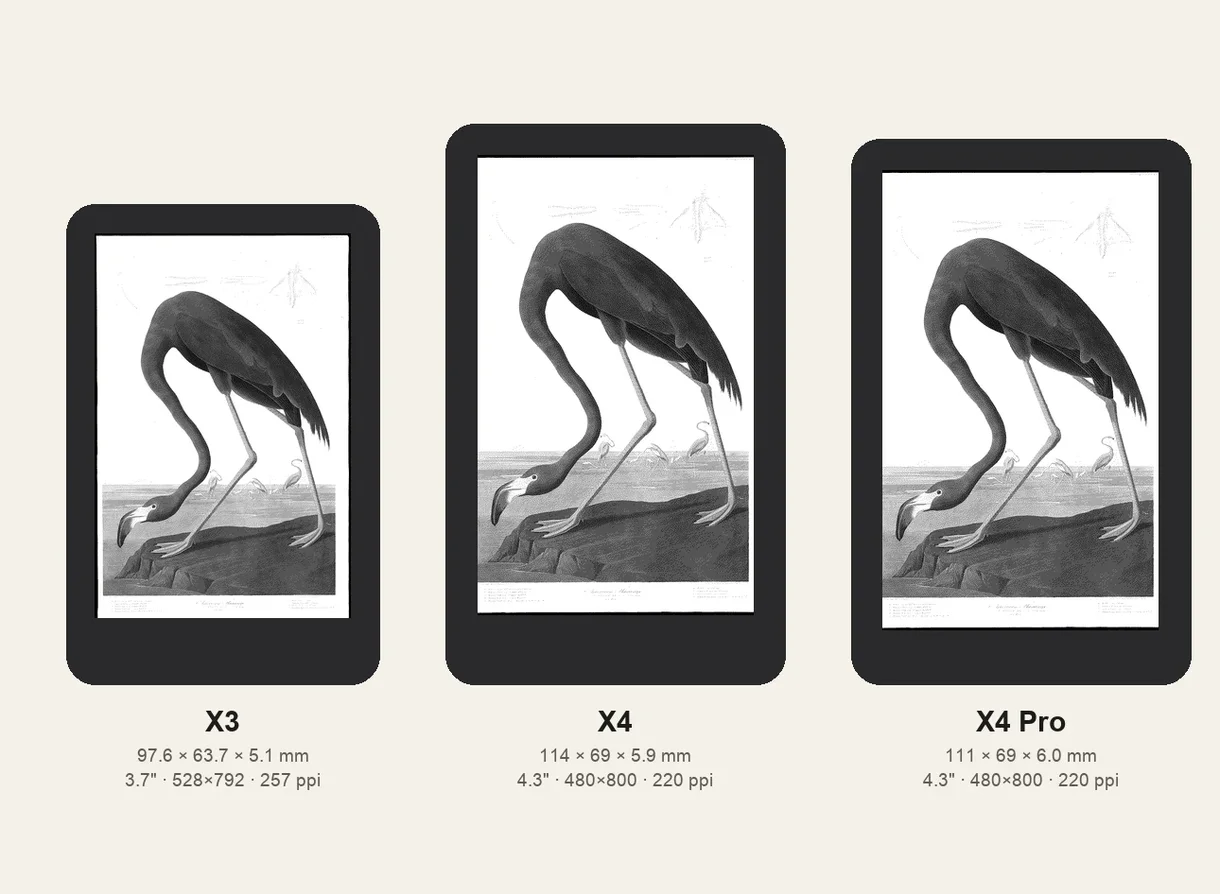
Licorice needs the faster ESP32-S3 chip in the X4 Pro and X4 Classic. Owners on r/xteink report that the original X4 and the X3 are not powerful enough, so they stay on XT 7.x, or run CrossPoint and its forks.
How to upgrade
- Connect to Wi-Fi and install the normal system update first.
- Then open Settings and choose Upgrade to new system. On the X4 Classic you can pick Convert, which carries over part of your reading progress and stats, or update directly.
- After that, each Licorice build installs as an ordinary over-the-air update.
Before you switch, know what owners report losing:
- The bookshelf is reset. Your books stay on the card; open them again to bring them back.
- Reading progress and bookmarks may be lost (Convert keeps some of it on the X4 Classic).
- You have to pair the reader with the XTEINK app again (scan the QR code).
- Old BIN/XTF fonts no longer appear. Licorice uses TTF fonts, with size and weight set in the reading menu.
What's new
From Xteink's build notes, as posted on r/xteink:
- Reading: TTF fonts, much better hyphenation (261013), footnotes that open in a popup (261020), a clear message for DRM-protected books (261016).
- Books over Wi-Fi: OPDS 1.2 and 2.0 catalogs with previews (261014), and KOReader sync (KOSync, beta) with self-signed certificates and HTTP login (261016).
- Desk: a home screen with clock, sunrise and sunset, moon phase, picture cards and reading stats (261020). It can also be the screen shown when the reader is off.
- System: a 4-digit boot password and a power button double-press for cloud sync (261017), Bluetooth page turners, and search with an on-screen keyboard on the Files page (261020).
Not there yet, compared with CrossPoint and CrossInk: bionic (focus) reading and the same depth of button and gesture settings. Licorice has Bluetooth, which CrossInk lacks. For what syncs and what doesn't, see reading stats and progress sync.
Wallpapers and the sleep screen on Licorice
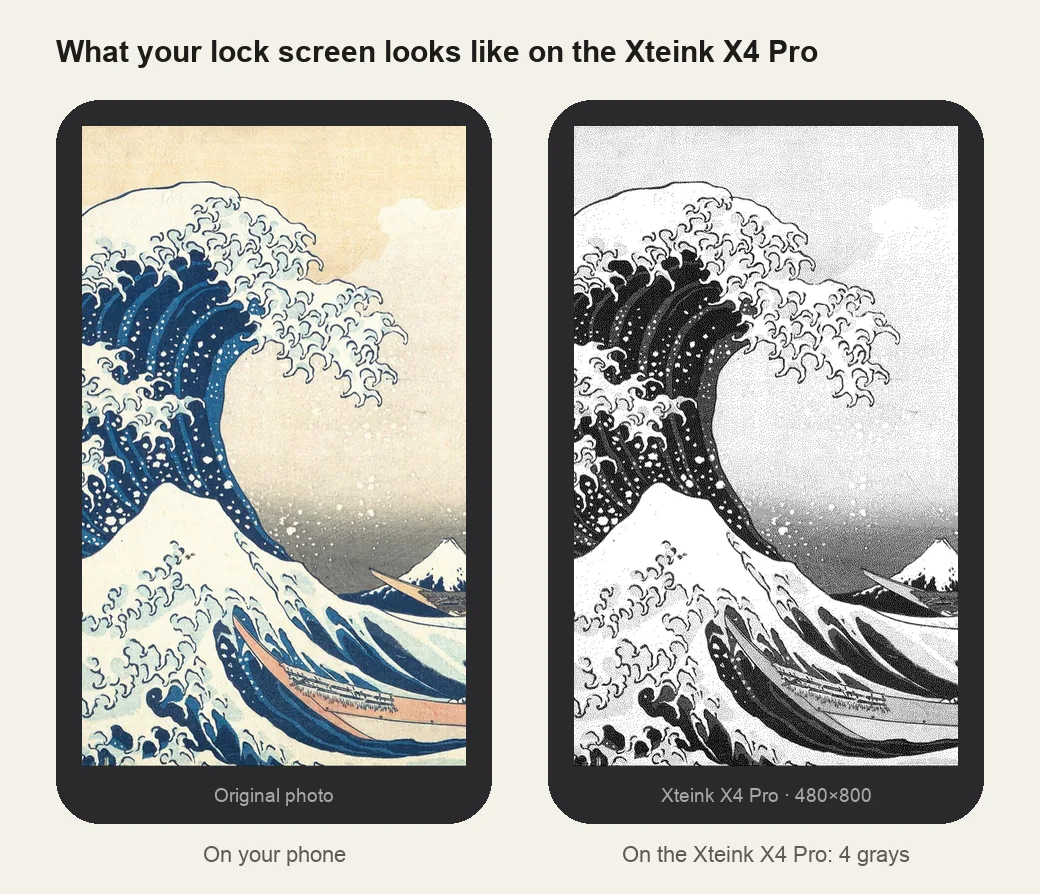
Licorice doesn't read CrossPoint's sleep.bmp or .sleep folder. The picture shown while the reader is off is set under Settings → Display Off wallpaper: the default wallpaper, your own wallpaper, the cover of the book you're reading, or Desk.
Set your own wallpaper
- Make it at the X4 Pro's exact size, 480×800, in 4 grays. The X4 Pro wallpaper maker does both.
- In USB Mode, copy the image into the wallpaper folder.
- On the reader: All Files → Wallpapers, press and hold the image, then Set as Wallpaper. Turn the reader off to see it.
Or import it in the XTEINK app (Devices → X4 Pro → Import) and tap Cloud Sync on the reader.
Transparent wallpapers over your page
A PNG with a transparent background is drawn over the book page when you power off while reading, instead of replacing it. Build 261017 extended this to landscape reading. It is the same idea as CrossPoint's transparent sleep screens, set as your normal custom wallpaper. Make one with the wallpaper converter (remove the background, then See-through paper), or put your contact on the page with the “If found, please return” maker.
The book cover shows small
With the cover as the off wallpaper, Licorice shows it at its own size, centred on white. Many covers come out small. The EPUB optimizer resizes the cover inside the EPUB to exactly 480×800, so it fills the screen.
Sleep with a short press
A short press on the power button turns Licorice off rather than putting it to sleep, and turning it on takes a long press. For a quick off and on, owners set Settings → General → Power button to short press and choose Desk as the Off wallpaper. The reader then really sleeps, which uses a little battery.
Putting books on the X4 Pro
Licorice opens EPUB and TXT. There are two ways in, and both end with the book on the card: the XTEINK app over Wi-Fi, or USB Mode from the reader's own menu.
- XTEINK app. Bind the reader in the app and put both on the same 2.4GHz Wi-Fi. Devices → X4 Pro → Import, pick the file, then on the reader open the upper-right menu and choose Cloud Sync; the book pulls itself down.
- USB Mode. Connect the reader, open the upper-right menu, choose USB Mode, and copy the EPUB across like any drive. Eject it, then open the book from the shelf.
- Card reader. The 16GB microSD card (up to 256GB) comes out, and the books are plain files, so this is the fallback when a cable or the Wi-Fi route misbehaves.
If a file does not show up, check the format before assuming the transfer failed. PDF, MOBI, AZW3, CBZ and anything with DRM will not open, because Xteink ships no store and no DRM layer. PDFs and comics are read as pre-rendered XTC or XTCH pages instead: CrossPoint and CrossInk read both, and stock relies on the same format, which is what the PDF to XTC, EPUB to XTC and manga to XTC converters here produce. The three routes onto the card — the app, USB Mode and the card reader — are written out on how to put books on an Xteink.
Licorice or CrossPoint?
| Licorice (stock) | CrossPoint / CrossInk | |
|---|---|---|
| Readers | X4 Pro, X4 Classic | X3, X4, X4 Classic, X4 Pro |
| XTEINK app, cloud sync, Bluetooth | Yes | No |
| Fonts | TTF | Built-in, plus SD card fonts |
| Sleep screen | One wallpaper, the cover or Desk | sleep.bmp, a random .sleep folder, covers, overlays |
| Settings depth | Growing | More buttons, gestures and reading options |
You can move between them. Units bought from Xteink's own store are unlocked for other firmware, so CrossPoint's web flasher works over USB. Some China-market units are locked. Owners who went back to stock flashed XT 7.6.8 over USB and then took the Licorice update over Wi-Fi again. The firmware chooser covers the other forks (CrossInk, Xerif, CrossNext) and the update-loop fixes.
For books, CrossPoint and Licorice both open EPUB. For PDFs and comics, CrossPoint reads pre-rendered XTC pages made by the PDF to XTC and manga to XTC converters. We haven't confirmed that Licorice opens .xtc files.
Where to buy
No Xteink yet, or want a second one? The X4, X4 Pro and X3 are sold on xteink.com. Already have one? There are magnetic cases for the X4, X4 Pro and X3, and a charging stand that fits all three. Those are affiliate links: if you buy through one, einktools earns a small commission at no extra cost to you.